A working capital loan calculator does two jobs at once. It tells you the monthly payment, and it shows whether your business can carry the loan without choking day-to-day cash flow.
If you're staring at a lender quote, bracing for a seasonal dip, or trying to bridge an acquisition closing, that split matters. A payment-only view can make a loan look fine on paper and still leave you short on payroll, inventory, or vendor bills.
Table of Contents
- Why a Working Capital Loan Calculator Is More Than a Payment Estimator
- Inputs Every Working Capital Loan Calculator Requires
- The Formulas and Assumptions Behind the Numbers
- Sample Scenarios From Startup to Seasonal to Acquisition Bridge
- How to Read the Outputs Without Getting Burned
- Limitations and Common Pitfalls in Working Capital Calculators
- SBA 7(a) Considerations and Next Steps With a Broker
Why a Working Capital Loan Calculator Is More Than a Payment Estimator
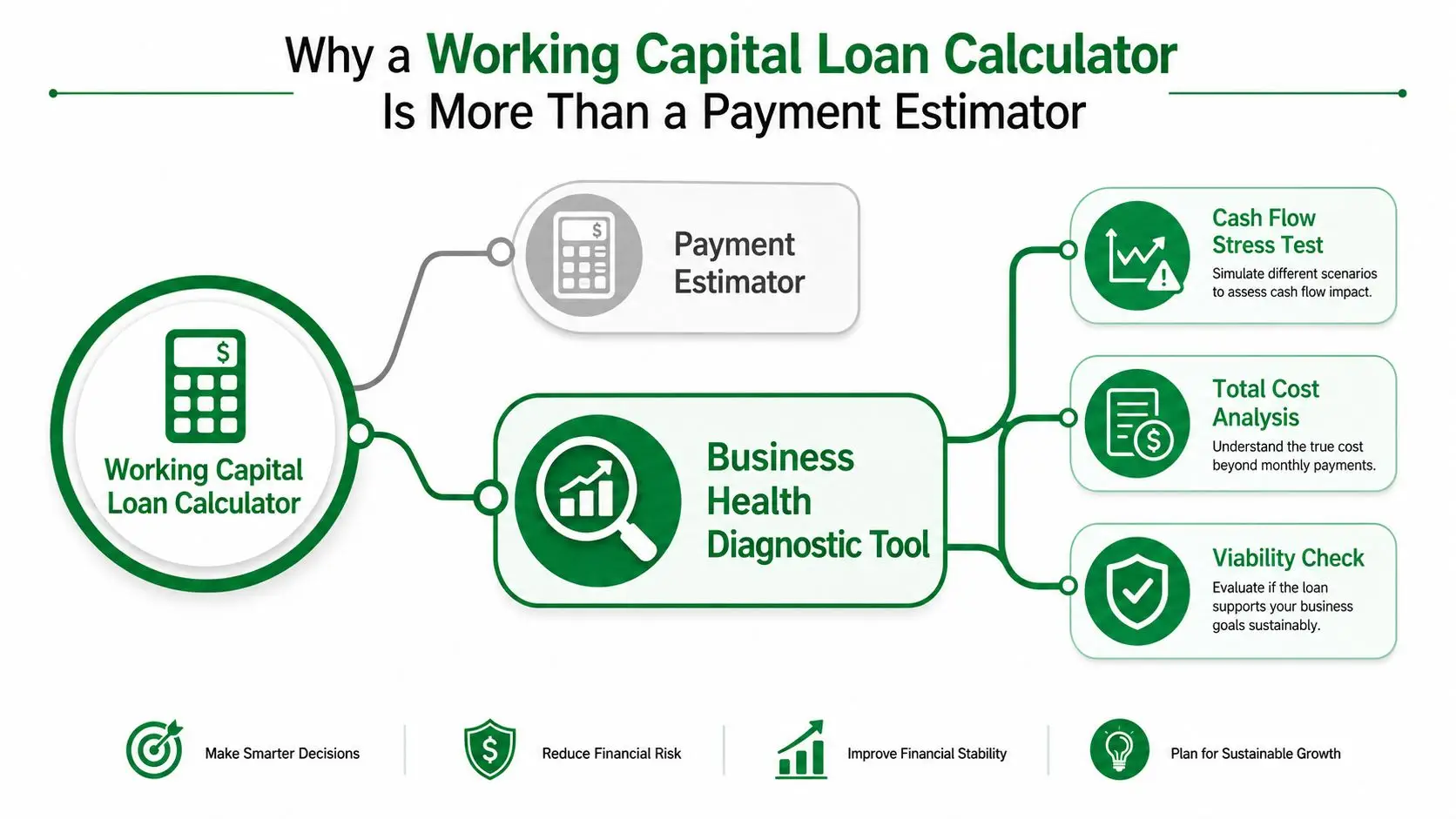
A business owner can look at a working capital loan calculator, see a monthly payment, and still make a bad borrowing decision. The payment might look manageable while the core problem, the cash gap between receivables, inventory, payroll, and debt service, keeps getting wider.
A better calculator does two jobs at once. It estimates the payment, and it tests the size of the funding gap you are trying to cover. That is the right lens for SBA-style borrowing, because the loan has to fit the business, not just the quote. For a quick reference point on SBA calculator tools, use GoSBA Loans' SBA calculators.
The question is whether the business can carry the debt through its operating cycle. A loan that looks fine on paper can still strain cash flow if customer payments come in late, inventory has to be built before sales, or payroll hits before collections do.
What owners usually miss
Generic calculators usually focus on principal, term, and a rough rate. That is useful, but it leaves out the part that determines whether the loan helps or hurts. A broker should size the debt against the business's cash-conversion cycle, then check whether the payment can be handled during weak months, not just average ones.
The calculator output has to separate a real funding gap from a simple monthly payment estimate. If it does not, it is only telling you how much you owe each month, not whether the loan amount is aligned with the way cash moves through the business.
Practical rule: If the calculator output does not help you separate a true funding gap from a simple payment estimate, it is not doing enough work for you.
That matters most when a lender has already given you terms and you need to sanity-check them fast. A flat payment can look harmless in a strong revenue month and become a problem when sales slow, receivables lag, or seasonal demand drops. The target is a loan size that matches the gap and leaves enough room for normal operating swings.
For a broader visual reference, preview the 300×182 graphic and compare it with the calculator output before you decide whether the quote is affordable.
Inputs Every Working Capital Loan Calculator Requires
A serious working capital loan calculator starts with the loan structure, then tests whether the deal fits the business behind it. The first inputs are the loan amount, repayment term, APR or factor rate, upfront fee, and amortization type. Those fields define how much you borrow, how long you repay, what the money costs, and whether the payment stays level or shifts over time (Credibly calculator overview).
The standard fields you should never skip
Loan amount is the funding ask. Term sets the repayment horizon. APR shows the cost in annualized form, while a factor rate usually appears in products that do not price debt like a standard bank note. Upfront fees matter because they change the cash you receive, not just the headline amount you were approved for.
Amortization type deserves more attention than many owners give it. A straight-line monthly payment feels simple and predictable. An interest-only structure with a balloon payment is different. It can keep the monthly bill lighter, but it pushes a large chunk of principal to the end. That works for bridge financing, and it is a bad fit for a business that is already thin on cash.
The business inputs that make the calculator useful
The better calculators also ask for average monthly revenue, total monthly operating expenses, and sometimes a preferred monthly payment or funding date. Those fields matter because a lender quote only means something if it fits the business's actual cash pattern, not a spreadsheet fantasy.
Before you open any calculator, gather this checklist:
- Borrow amount
- Rate structure
- Repayment term
- Fees
- Revenue and expense baseline
- Seasonal pattern if you have one
Do not enter the amount you want and ignore the fee. That is how owners overstate how much cash they will really receive and understate the true cost of capital.
For SBA-style preparation, your calculator inputs should line up with your application package. A clean application checklist helps keep the financials, tax returns, and projections consistent with what the lender will review, so use the GoSBA application checklist before you send anything in.
If you are sorting through bank statements and want cleaner monthly totals before you run the numbers, browse the bank statement categorizer first. It makes the revenue and expense inputs easier to trust, which matters more than a polished estimate.
The Formulas and Assumptions Behind the Numbers
A working capital loan calculator looks simple because the math starts with one clean equation, working capital = current assets − current liabilities, and the related current ratio = current assets / current liabilities. That ratio is useful, but only if you understand what it misses. A business can show acceptable liquidity on paper and still run short on cash if receivables are slow, inventory sits too long, or debt payments hit before collections do.
What the payment formula is really doing
The payment side uses standard amortization math. Monthly payment goes up when the rate goes up, the term gets shorter, or the amount borrowed increases. You do not need to memorize the formula to use it well. You do need to read the direction correctly. A longer term usually lowers the monthly bill, but it also raises total interest. A shorter term does the opposite.
Why operating-cycle inputs matter
The better sizing calculators go beyond the balance sheet. They use Days Sales Outstanding, Days Payable Outstanding, and Days Inventory Outstanding, then layer in growth assumptions to estimate working capital over a 1 to 5 year horizon (CreditDoc working capital calculator). That matters because cash does not move evenly through a business. Receivables collect late, inventory sits on shelves, and vendors still expect to be paid on time.
A practical line of credit sizing framework is funding gap + seasonal extra working capital + 10% safety buffer (US Finance Calculators). That is the right starting point for businesses that swing with the calendar. Seasonal operators should size to the weak month, not the average month, because average month math hides the cash squeeze.
| Common Calculator Inputs and What They Drive | ||
|---|---|---|
| Input | What It Controls | Borrower Mistake |
| Loan amount | Size of the obligation and monthly payment level | Guessing the amount instead of tying it to the actual cash gap |
| Term | How long repayment lasts | Choosing the longest term just to force the payment down |
| APR or factor rate | True cost of borrowing | Comparing products without converting the pricing into the same format |
| Upfront fee | Net dollars received at closing | Ignoring the fee and overstating usable cash |
| Amortization type | Whether payments stay level or end with a balloon | Missing a balloon and underestimating the final cash hit |
| DSO, DPO, DIO | Forward funding need based on operating cycle | Using only today's balance sheet and ignoring timing delays |
Factor rates need a separate warning. They show up often in merchant-style products, and they can look manageable until you convert them into an annualized cost. A quote that seems fine on a factor basis can still be expensive next to a normal APR. If you are cleaning up transaction data or bank activity before you model any of this, browse the bank statement categorizer so the revenue and expense inputs you feed the calculator are usable.
For SBA borrowing, the payment has to fit more than comfort. It has to fit debt capacity, and that is why DSCR and SBA loan approval deserve attention before you treat a calculator output as real underwriting.
Sample Scenarios From Startup to Seasonal to Acquisition Bridge
A calculator gets interesting when you stop treating every deal like the same deal. A working capital loan calculator should give different answers for a startup cash gap, a seasonal inventory build, and a short acquisition bridge. If it doesn't, the calculator is too blunt for the decision you're making.
Startup bridge for delayed collections
A 14-month-old SaaS startup has a $120,000 funding gap because enterprise customers are paying late. The calculator points to a 36-month term at about 11% APR and a payment of around $3,900 per month. In that setup, the current ratio improves from 0.8 to 1.4 once the loan fills the gap and the balance sheet stabilizes.
The lesson is simple. The key input wasn't the cheapest rate. It was the timing of collections. If receivables land later than payroll and vendor bills, the loan has to solve timing first and pricing second.
Seasonal retailer building inventory
A home-furnishings retailer preparing for fourth-quarter inventory needs a different answer. Using operating-cycle inputs, the calculator sizes the facility at $250,000 with peak-month coverage and a 10% buffer, then estimates a payment around $7,200 per month over 36 months. That structure recognizes the inventory build before sales catch up.
Seasonal businesses should size for the bad month, not the best month. If you borrow only for average conditions, you'll still run short when the spike hits.
Acquisition bridge before SBA close
An acquisition buyer waiting on an SBA 7(a) close needs short-term bridge capital, not a long-term permanent facility. In that case, the calculator models interest-only payments of roughly $2,800 per month on $400,000 at 10%, with a balloon at month six. That keeps the interim payment manageable while the SBA loan processes.
The common thread across all three examples is obvious. The loan math changes because the cash cycle changes. If you're in a seasonal business, use the framework in the seasonal manufacturing financing example to think about inventory timing the right way.
How to Read the Outputs Without Getting Burned
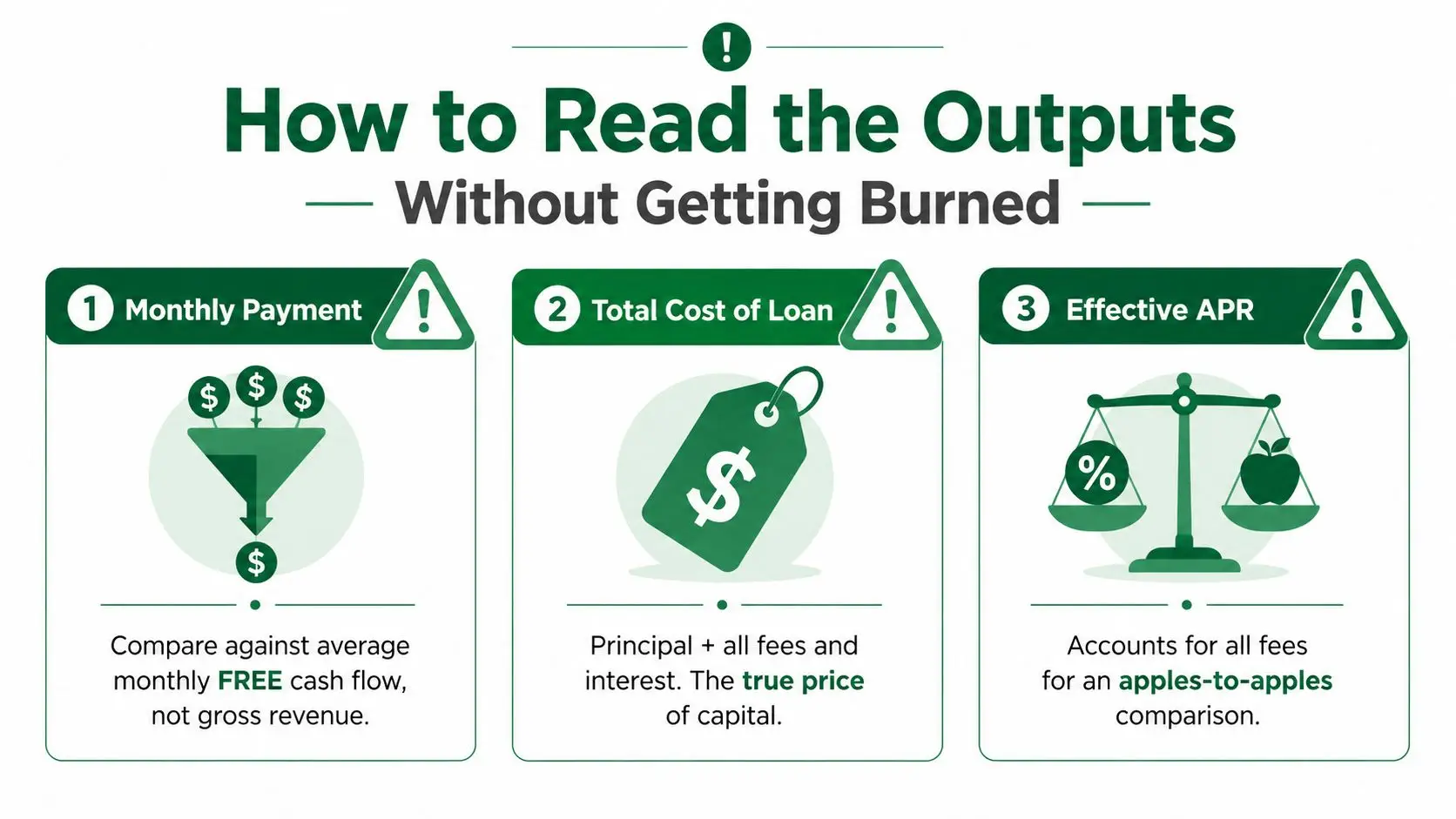
A calculator output is only useful if you read it the right way. The first number most owners stare at is the monthly payment, and that's fine as long as you compare it against average monthly free cash flow, not gross revenue. Revenue can be high and still leave the business cash-poor after payroll, rent, inventory, and tax payments.
The four outputs that matter
Monthly payment tells you whether the debt fits operating cash. Total cost of loan tells you how much you're really paying when principal, interest, and fees are all included. APR gives you the apples-to-apples comparison across lenders. Total dollars received after fees tells you how much cash you get to spend.
A rough debt-service check should leave room, not just break even. If the monthly payment eats too much of your operating cash, the deal is fragile even when the lender says yes. That's why a cheap-looking quote can still be a bad loan.
How I'd read a quote in five minutes
- Check the payment first. Ask whether it fits free cash flow, not revenue.
- Check the total cost second. Compare what you borrow with what you repay.
- Check the APR third. Make sure the pricing is comparable.
- Check the net proceeds last. Fees can shrink the usable cash enough to change the whole deal.
If the lender shows you only the installment, ask for the full amortization schedule. If they can't show the fee load cleanly, the quote is incomplete. For SBA-oriented borrowers, the broker guide is a useful reminder that the quote you see early isn't always the structure you close on.
Limitations and Common Pitfalls in Working Capital Calculators
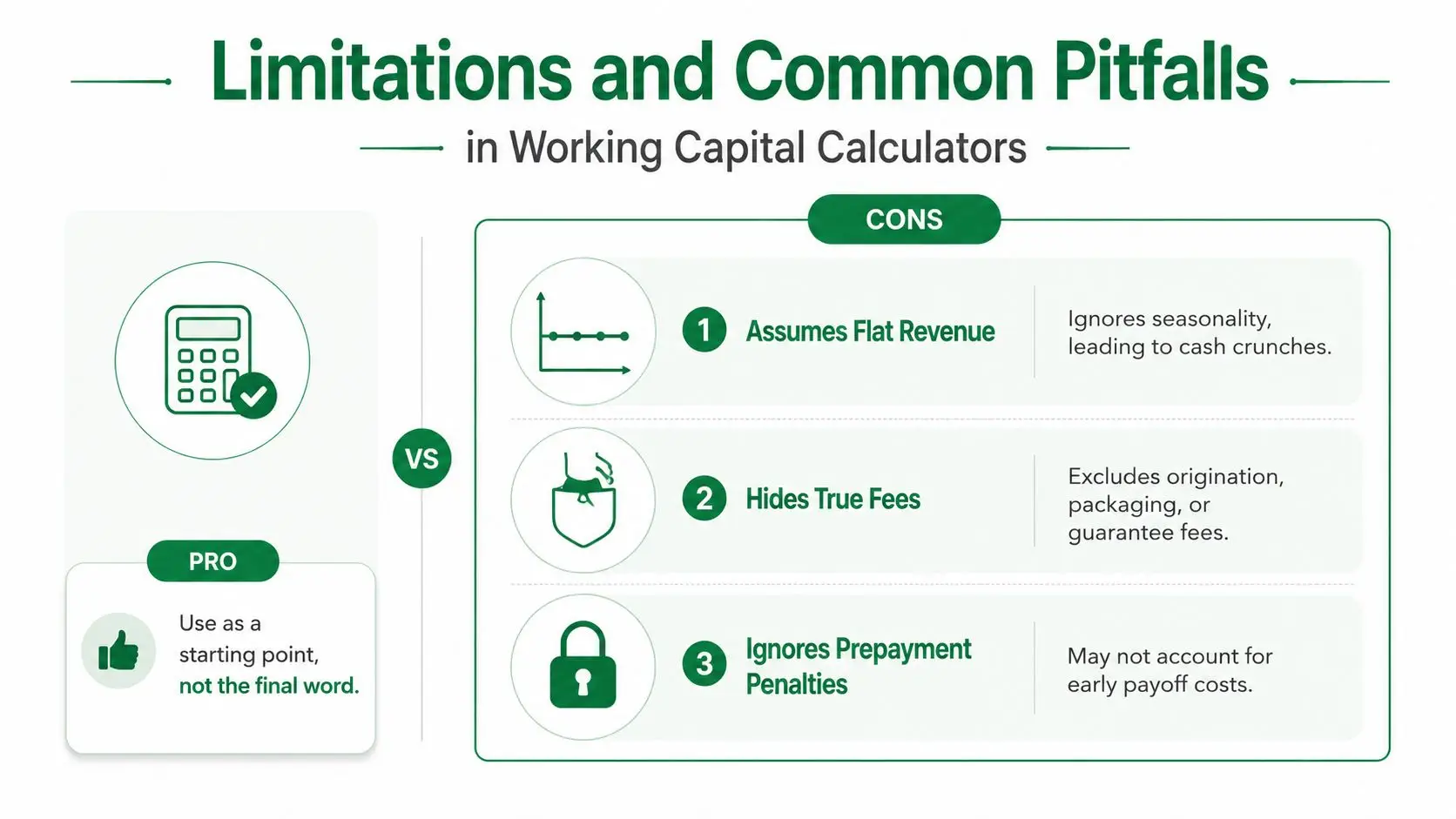
The biggest problem with many working capital loan calculator pages is that they flatter the borrower. They assume flat revenue, skip key fees, or hide balloon payments behind a neat monthly number. That makes the deal look safer than it is.
Where the math gets optimistic
Assumes flat revenue. Seasonal businesses don't live on flat lines. A retailer can be fine in one quarter and crushed in the next if the calculator ignores timing.
Hides true fees. Origination, packaging, and guarantee fees change the dollars in hand. If the tool leaves them out, you're planning around money you won't receive.
Ignores prepayment penalties. Some loans punish early payoff. That matters when a business expects to refinance or sell sooner than the term assumes.
The traps that hit owners hardest
Factor rates are a classic trap. A product can sound affordable because the payment is quoted in a simple format, but the annualized cost can tell a very different story. Balloon payments are another one. A small monthly bill can hide a large lump sum at maturity, and that's where owners get surprised.
Covenant triggers can also change the risk profile. If the business's liquidity weakens and the lender has step-in rights, the loan isn't just a payment schedule anymore. It becomes a monitoring problem. Personal guarantees add another layer, because the owner's balance sheet is still on the line.
If a calculator doesn't show fee detail, balloon risk, and seasonal stress, treat the result as a starting point, not a final quote.
The fix is straightforward. Ask for the full amortization schedule, the fee breakdown, and the exact repayment structure before you act on the number. If the lender won't provide that, the calculator output is too optimistic to trust.
SBA 7(a) Considerations and Next Steps With a Broker
For SBA borrowers, the calculator has to connect to the actual loan structure. A standard SBA 7(a) loan can be approved for up to $5 million, and the SBA caps its guaranty at 85% for loans of $150,000 or less and 75% for loans above $150,000 (The Credit People SBA overview). That guaranty structure shapes lender risk, pricing, and how much debt a borrower can realistically place in the capital stack.
How calculator output fits SBA underwriting
Working capital deals usually sit inside a broader file, not as a standalone number on a screen. The lender wants to see the calculator output supported by a current-ratio trend, a 12-month cash flow projection, and a debt capacity check that makes sense for the requested term. For acquisition financing, the capital stack can also require a minimum 10% equity injection, so the calculator needs to fit the equity story too.
The working-capital term is often a 10-year structure in SBA practice, which means the borrower should think beyond the first payment and look at the business's ability to carry debt through normal volatility. If the calculator says yes but the projection says no, the projection wins.
What to do before you submit
- Package the numbers. Bring the calculator output, cash flow forecast, and current ratio history together.
- Match the use of proceeds. Make sure the request reflects operating need, not just a vague cushion.
- Stress-test the worst month. Don't size only for average conditions.
- Compare lender options. Terms and fee treatment vary, so one quote rarely tells the whole story.
A full-service broker can save time by comparing multiple lender structures and pushing the file toward a fit that matches the business's actual cash cycle. GoSBA Loans does that kind of lender matching for SBA deals, and it's one option when you want a broker to package the request and steer it through underwriting.
If you're ready to stop guessing, pull your last 12 months of statements, run the calculator with real fees and seasonality, and send the package to GoSBA Loans for lender matching. The sooner you test the quote against actual cash flow, the less likely you are to borrow too much, borrow too little, or discover the problem after closing.